
Manage Billing
Overview
Billing Configuration lets you define how invoices, taxes, and billing rules apply across shipments. By setting up billing events, GST details, and invoice templates, Shipper Admins ensure that invoices are generated accurately and processed smoothly in the Billing Module.
- Set Up Billing Rules – Define when invoices should be triggered (e.g., after unloading or POD submission).
- Configure GST & Tax Details – Enter GST numbers, tax percentages, and billing addresses.
- Customize Invoice Templates – Standardize invoice formats for different types of transactions.
- Apply Changes to the Billing Module – Ensure all billing operations follow the defined rules, reducing errors in invoicing and settlements.
Accessing Billing Configuration
To configure billing settings:
- Go to the Master Data module in the system.
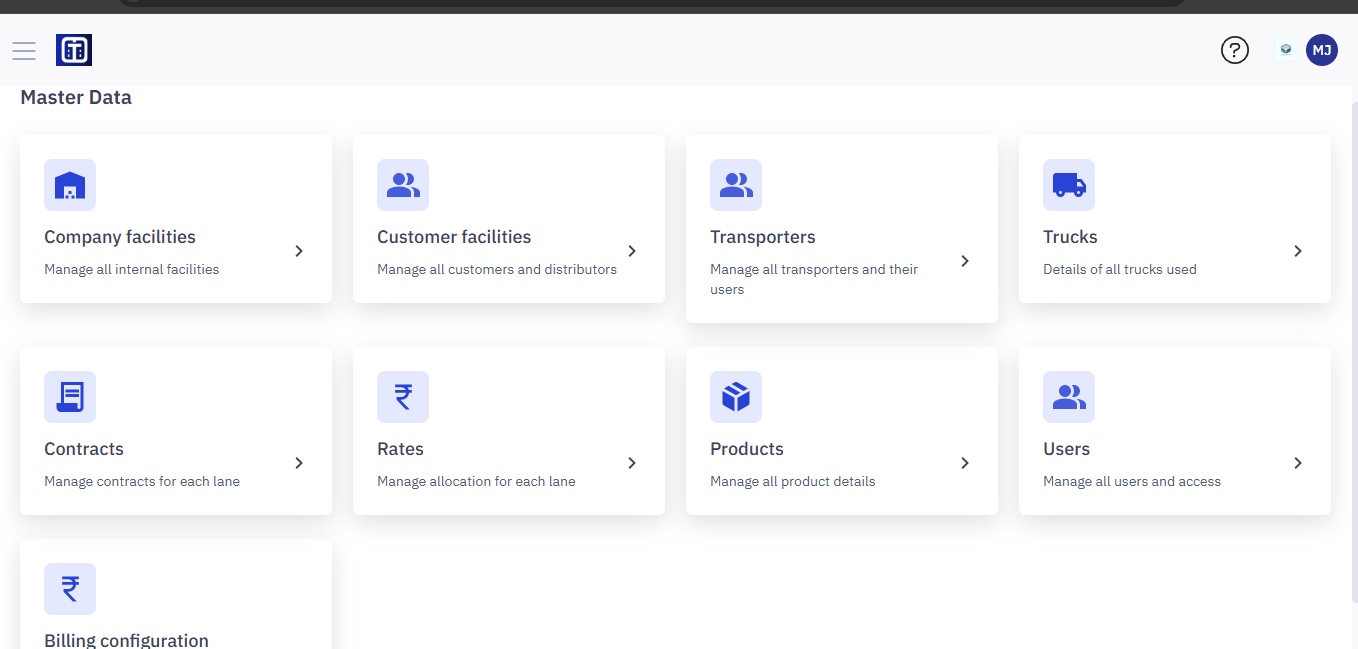
Note: Ensure you read the instructions before configuring billing master data, refer to the section Master Data : Key Details for All Submodules for important information about adding entries and ERP integration.
2. Click Billing Configuration.
3. The configuration panel opens, where you can update different billing settings.
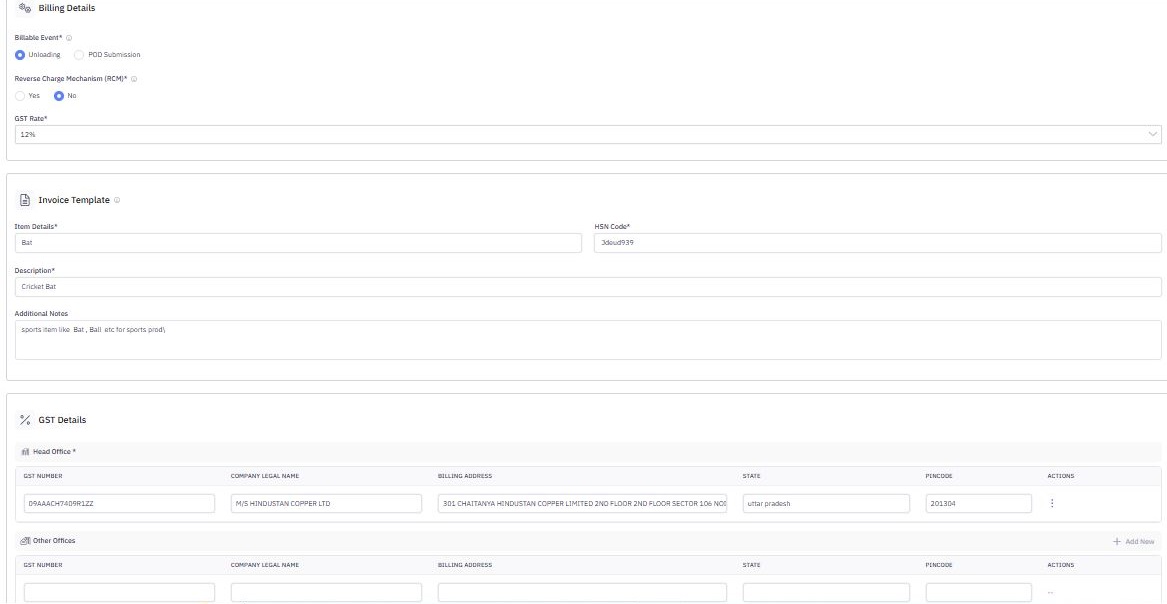
Setting Up Billing Configuration
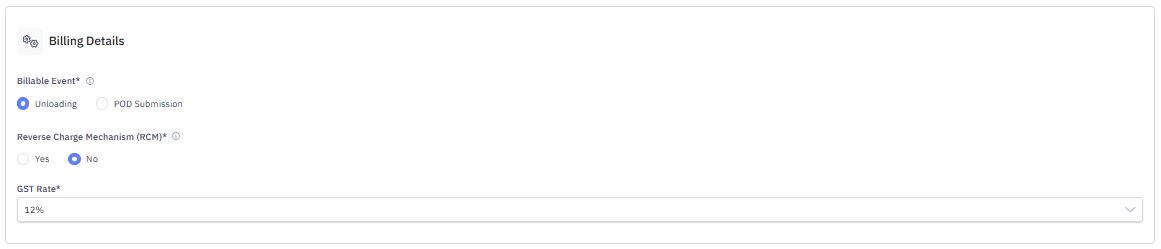
1. Define Billing Rules
- Billing Event: Choose when invoices should be generated:
- Unloading: Invoices trigger after unloading is completed.
- POD Submission: Invoices generate after Proof of Delivery is submitted.
- Service Charge Mechanism (SCP): Enable or disable additional service charges.
- GST Rate: Set the applicable GST percentage for billing.
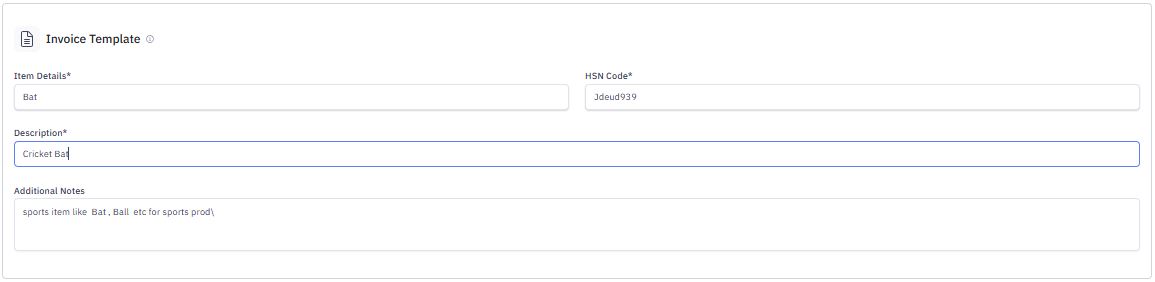
2. Configure Invoice Template
- Template Name: Assign a standard template for invoices.
- Description: Provide details about the invoice type.
- Invoice Code: Assign a unique identifier for the template.
- Additional Notes: Include terms or instructions for billing.
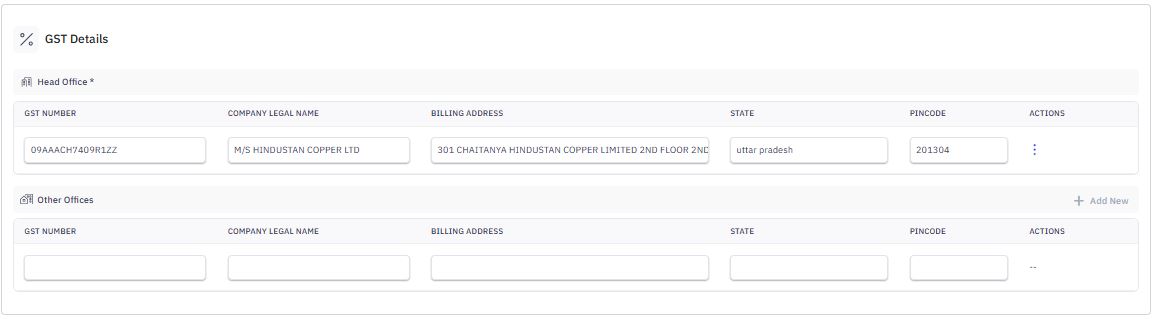
3. Enter GST Details
- Head Office:
- GST Number
- Legal Name
- Registered Billing Address
- State & Pincode
- Other Offices (Optional): Add additional locations by clicking Add New.
Finalizing and Applying Changes
Once all details are entered:
- Click Save to store configurations.
- These settings will now be applied to invoice generation and approvals.
- You can edit configurations later if required.
When you set up Billing Configuration correctly, invoices are processed smoothly, taxes are applied correctly, and freight billing stays accurate. These settings directly affect the Billing Module, where invoices are generated, reviewed, and finalized for payment.