
Upload POD via WhatsApp
Transporters or drivers can now upload Proof of Delivery (POD) documents directly via WhatsApp. This feature eliminates the need to manually access the TMS UI, reducing operational delays and making the POD submission process more efficient.
Overview
The Agentic POD feature allows transporters to submit PODs via WhatsApp using their registered mobile number. Our AI agent validates the document, maps it to the correct indent, and provides confirmation or guidance for retry if required. This guide walks you through:
- Requirements before upload
- Upload process via WhatsApp
- What system messages to expect
- Alternate method via UI (if WhatsApp fails)
Before uploading the POD, ensure the following:
- WhatsApp Number: Must be registered with your fleet tenant
- File Format: Any POD format is supported, JPG, PNG, PDF
- Indent Status: Only Marked Out indents without an attached POD are eligible
- Retry Limit: Maximum 3 attempts via WhatsApp. UI upload option enabled after that
Uploading POD via WhatsApp
Step 1: Share the POD Document
1. Open your WhatsApp registered number for POD submission. Browse your POD document from files or from photo or video options.
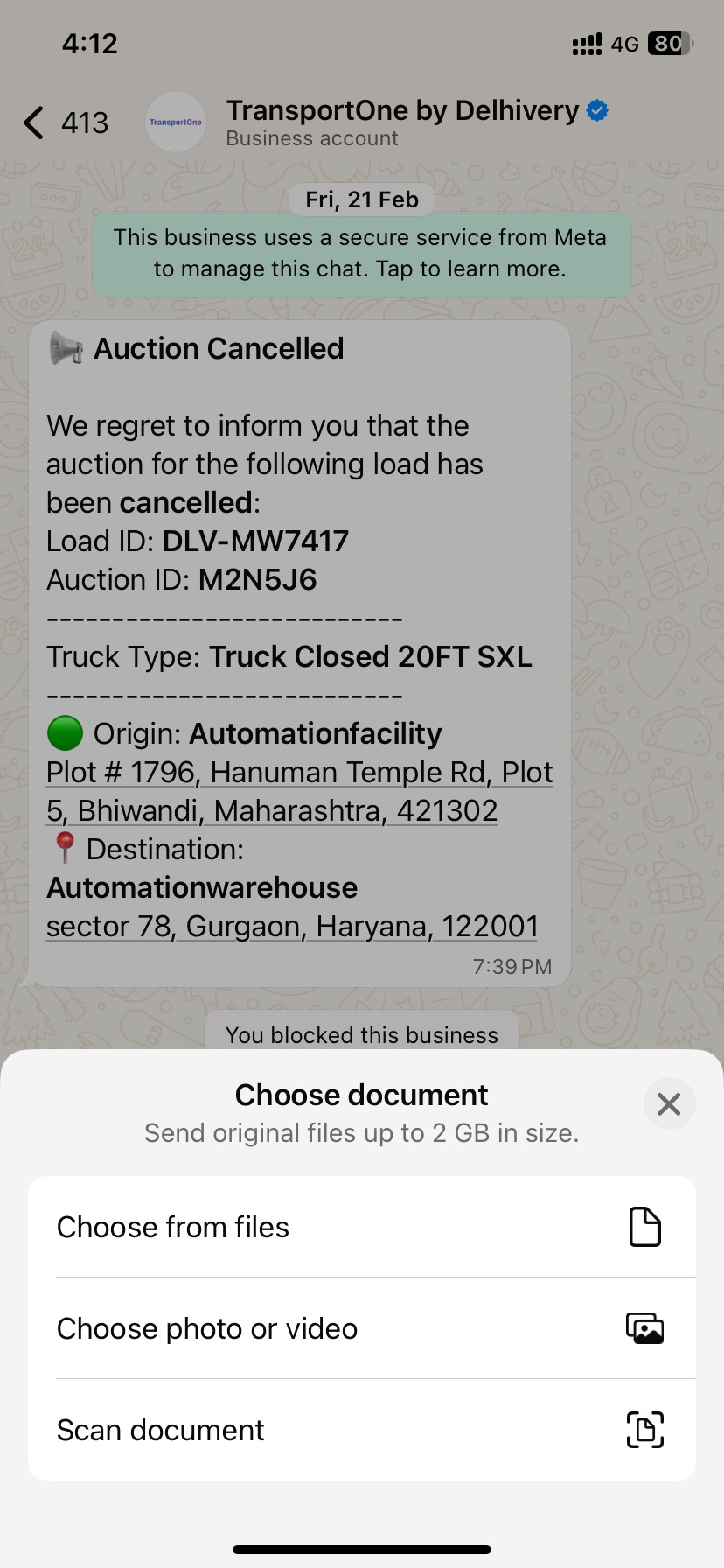
2. Select your POD from your mobile device and send it.
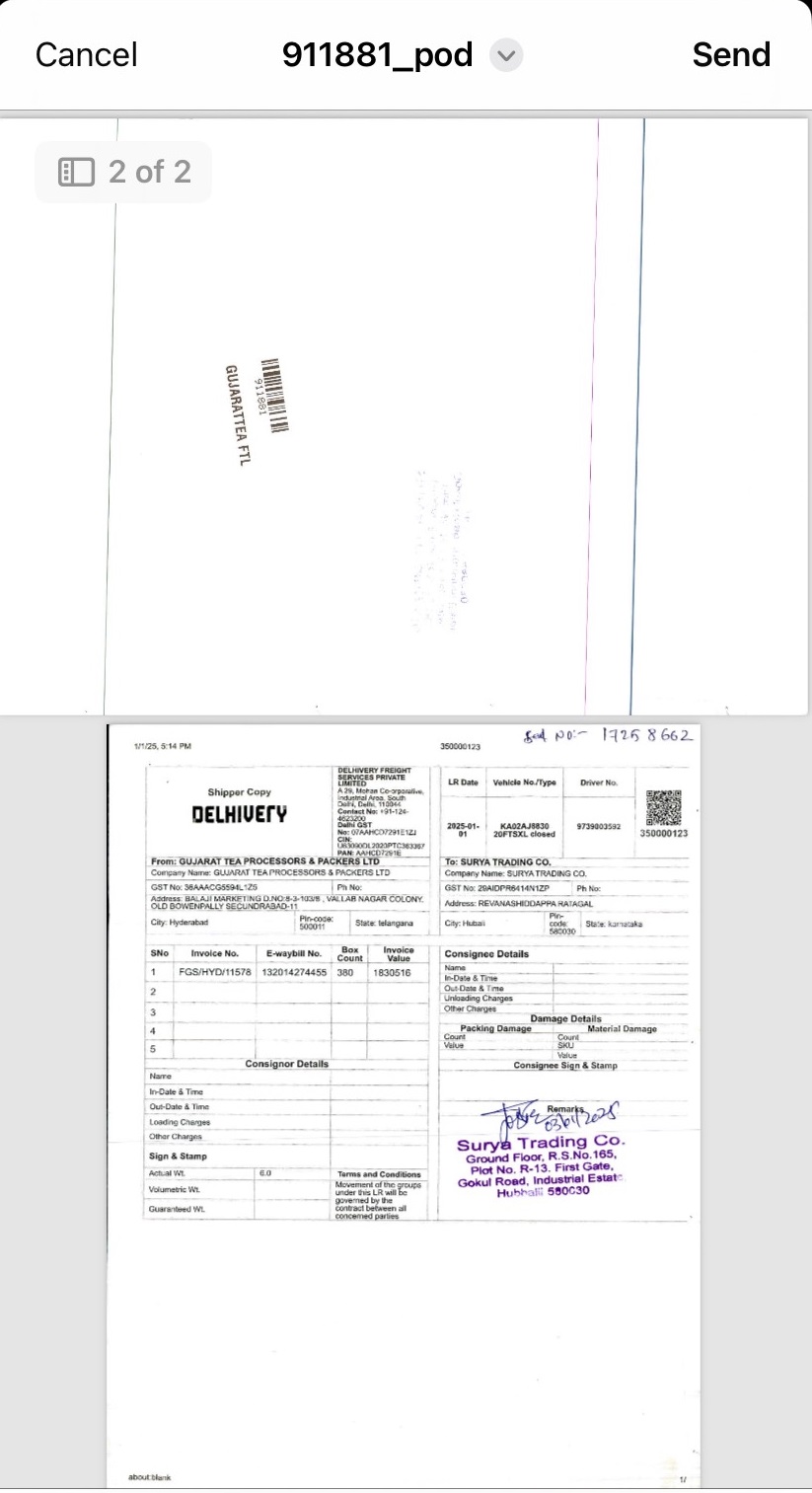
Note: Any document format is accepted. Our AI will extract and standardize the information for you. Ensure the POD belongs to a Marked Out indent.
Step 2: Wait for System Response
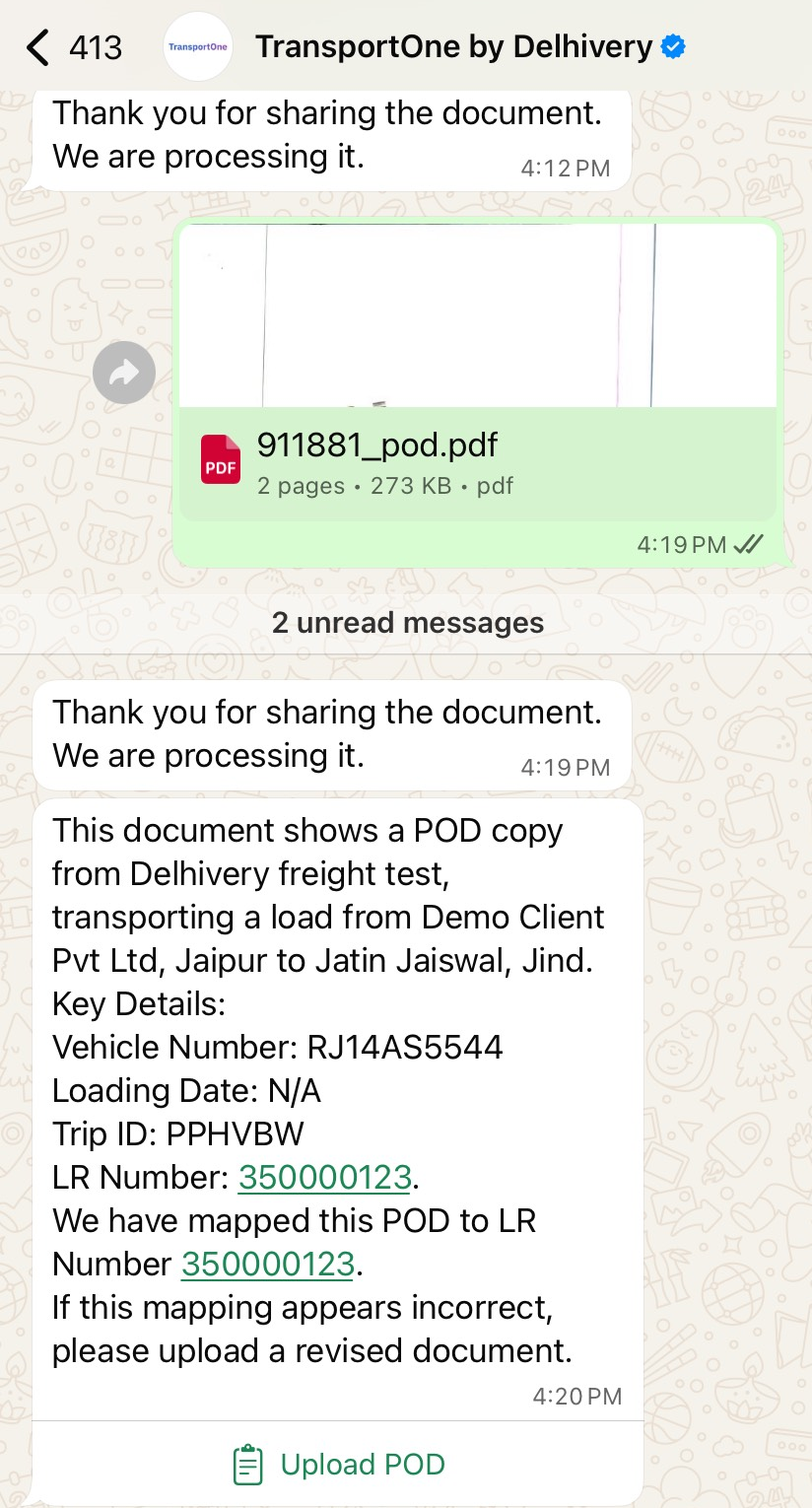
After sending the document, you’ll receive the POD processing message. "Thank you for sharing the document. We are processing it".
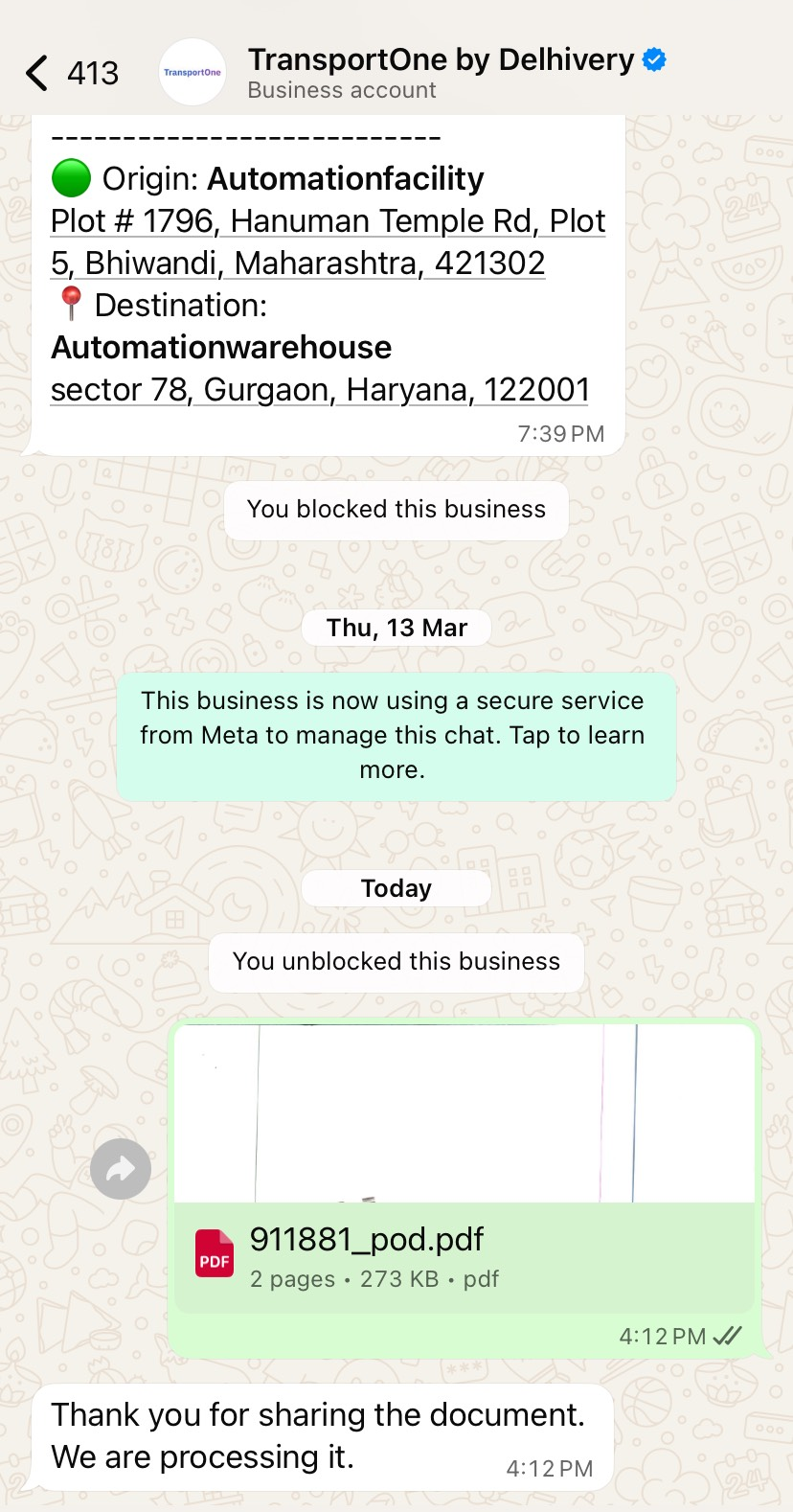
Step 3: POD Mapping Confirmation
If the document is valid and matches a load in the system, you’ll receive a confirmation message containing:
- Client details
- Origin & destination
- Vehicle number
- LR Number (linked)
A message stating the POD was successfully mapped
Example Message:
This document shows a POD copy from Delhivery freight test, transporting a load from Demo Client Pvt Ltd, Jaipur to Jatin Jaiswal, Jind. Key Details: Vehicle Number: RJ14AS5544 Loading Date: N/A Trip ID: PPHVBW LR Number: 350000123 We have mapped this POD to LR Number 350000123. If this mapping appears incorrect, please upload a revised document.
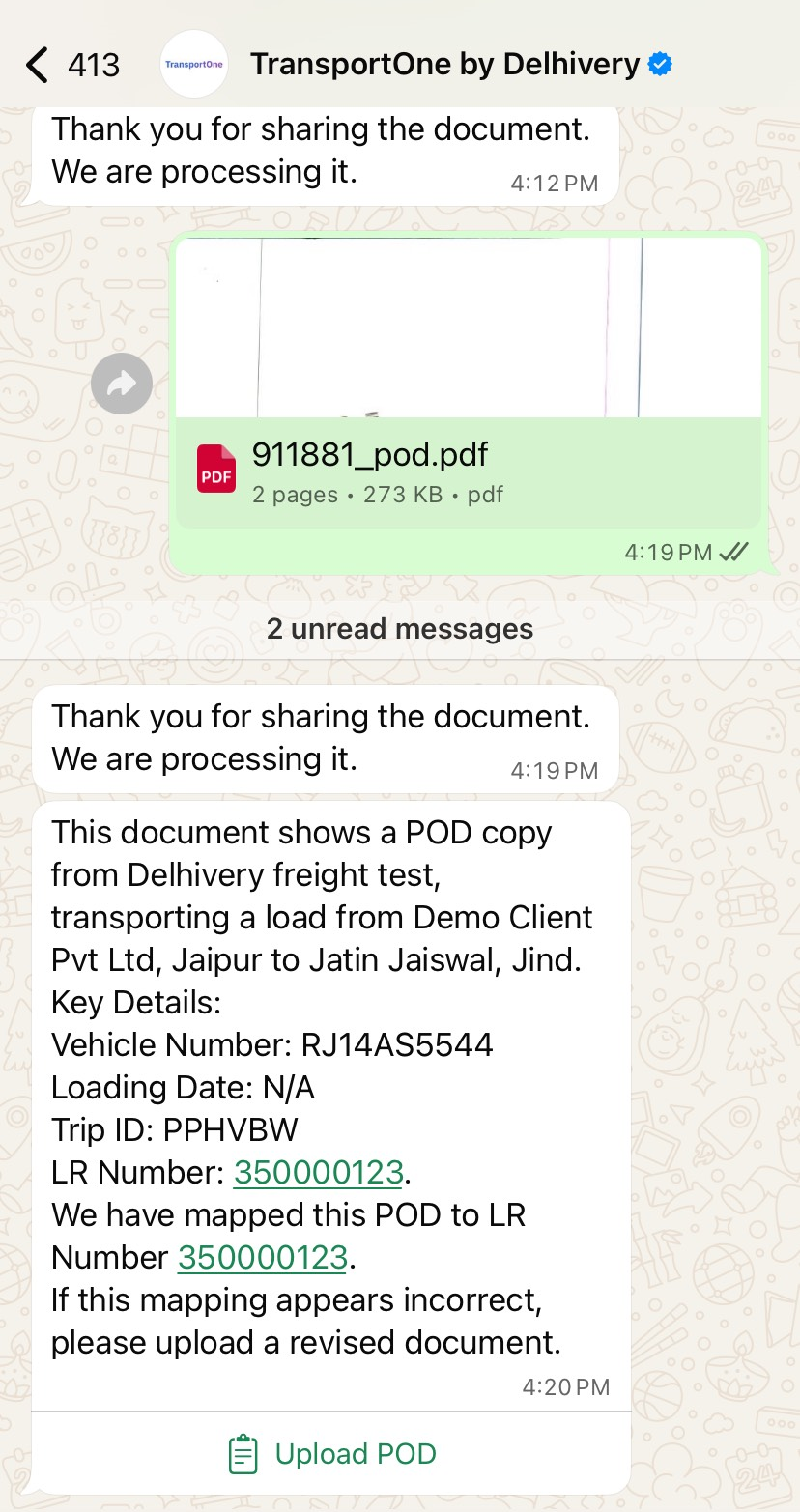
Important: If all details are correct, no further action is needed. If you think that the details are not correct, you can upload the revised POD. See the section below to know the steps.
Optional: Upload a Revised POD (If Mapping Is Incorrect)
If you believe the system has mapped the POD incorrectly, you can re-upload a corrected version.
1. Tap the Upload POD button at the bottom of the WhatsApp message:
2. This opens the web interface to upload a revised POD manually. Click the Upload Document button.
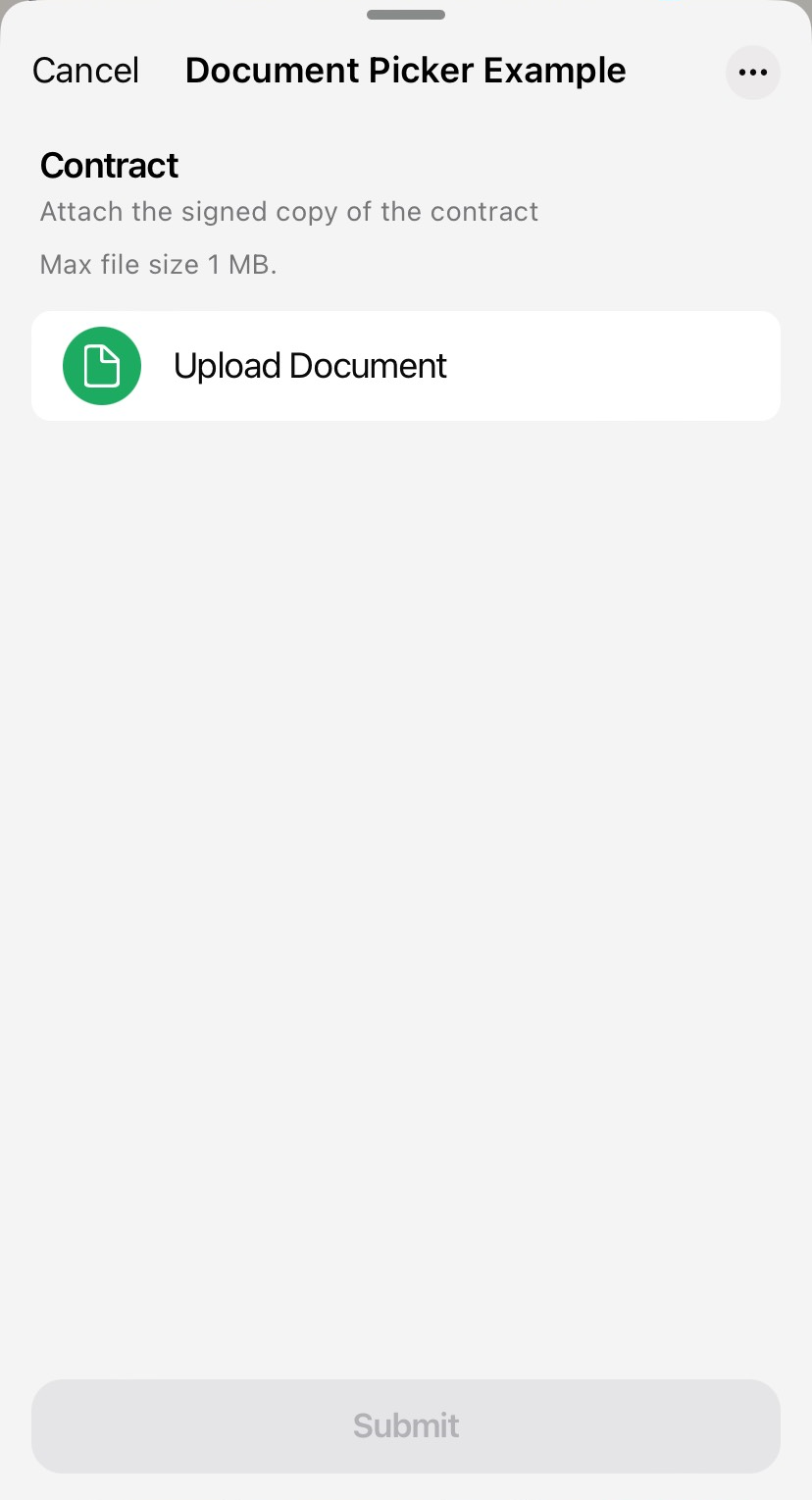
Note: This button is always shown, even after a successful mapping, as a fallback option.
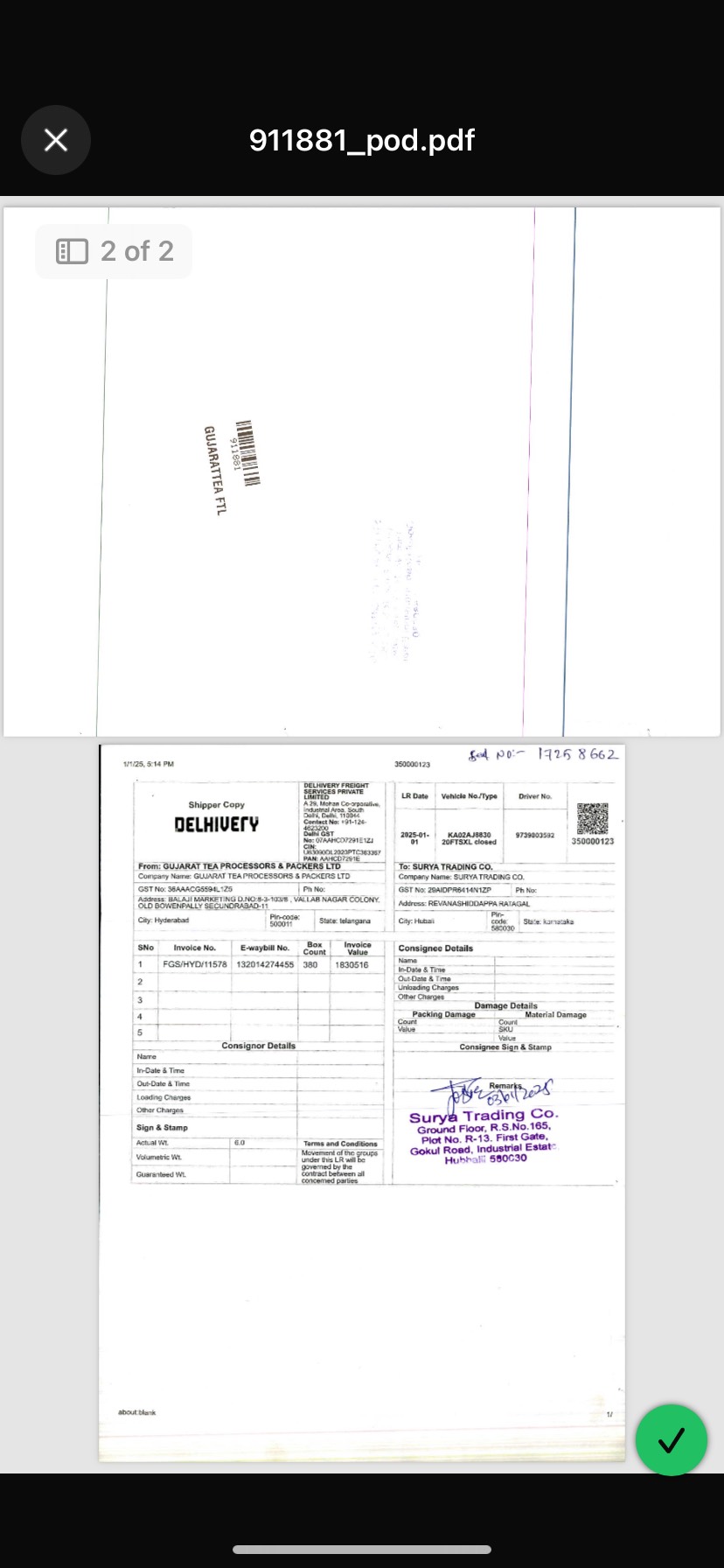
3. Choose your POD document.
4. After the document is uploaded, click Submit.
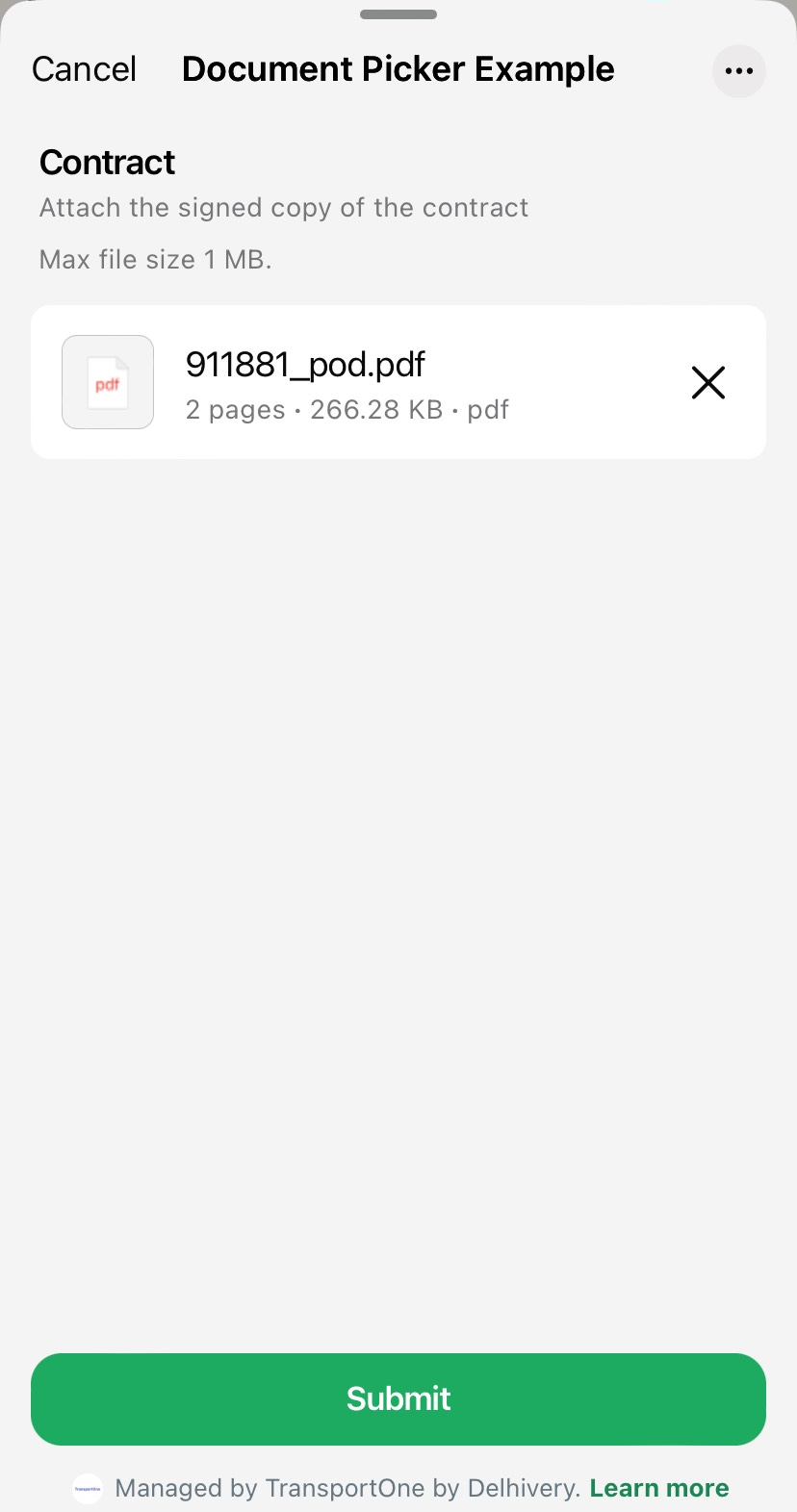
5. After submitting the POD, our AI agent will extract and validates the information.
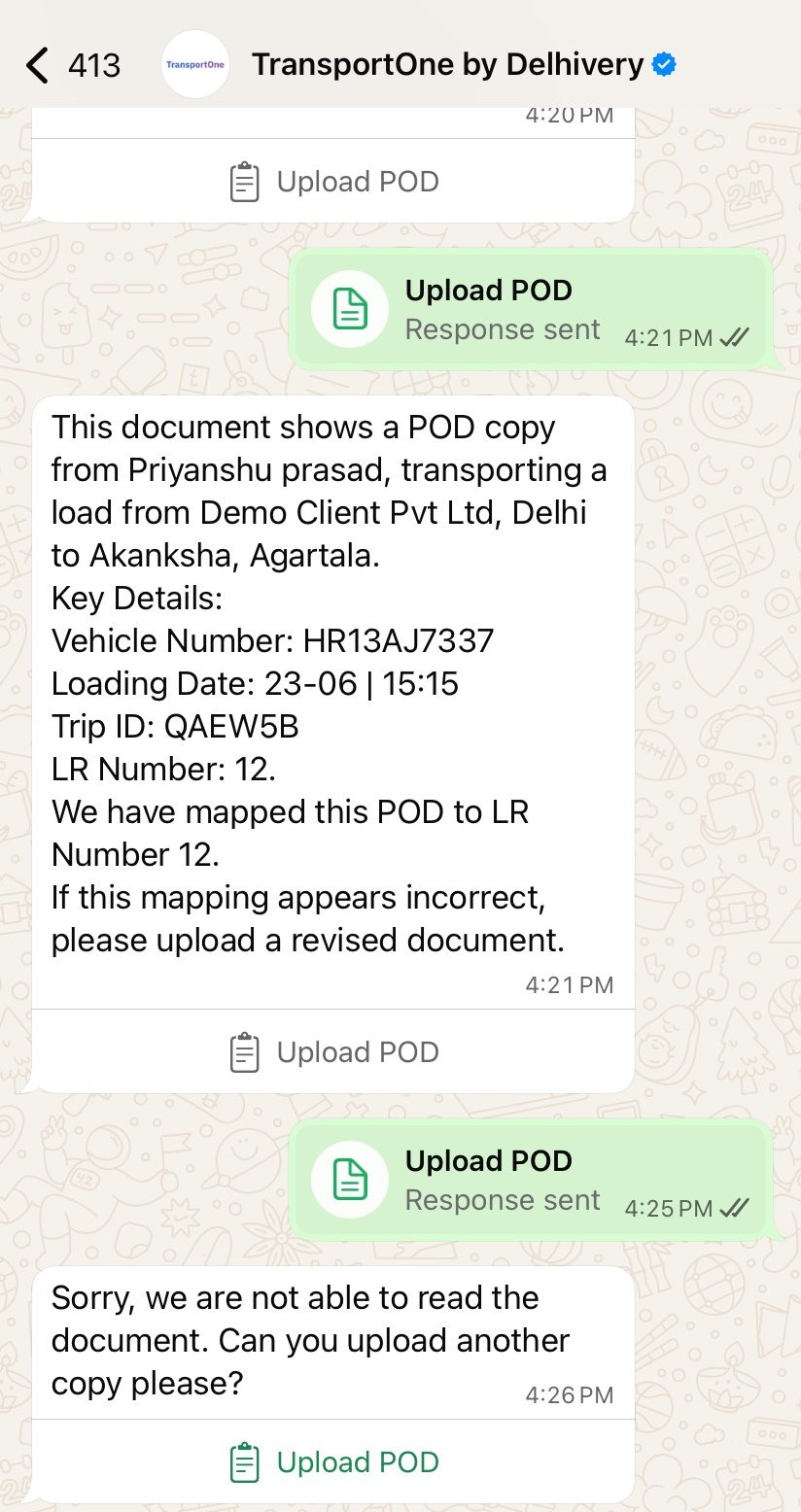
Note: The AI will attempt to extract and validate the new document. You can upload the POD up to three times. If the system still cannot process the document, you’ll be prompted to upload it manually via the TMS UI.
Alternate Option: Upload POD via TMS UI
After 3 failed attempts via WhatsApp, the system will show this message:
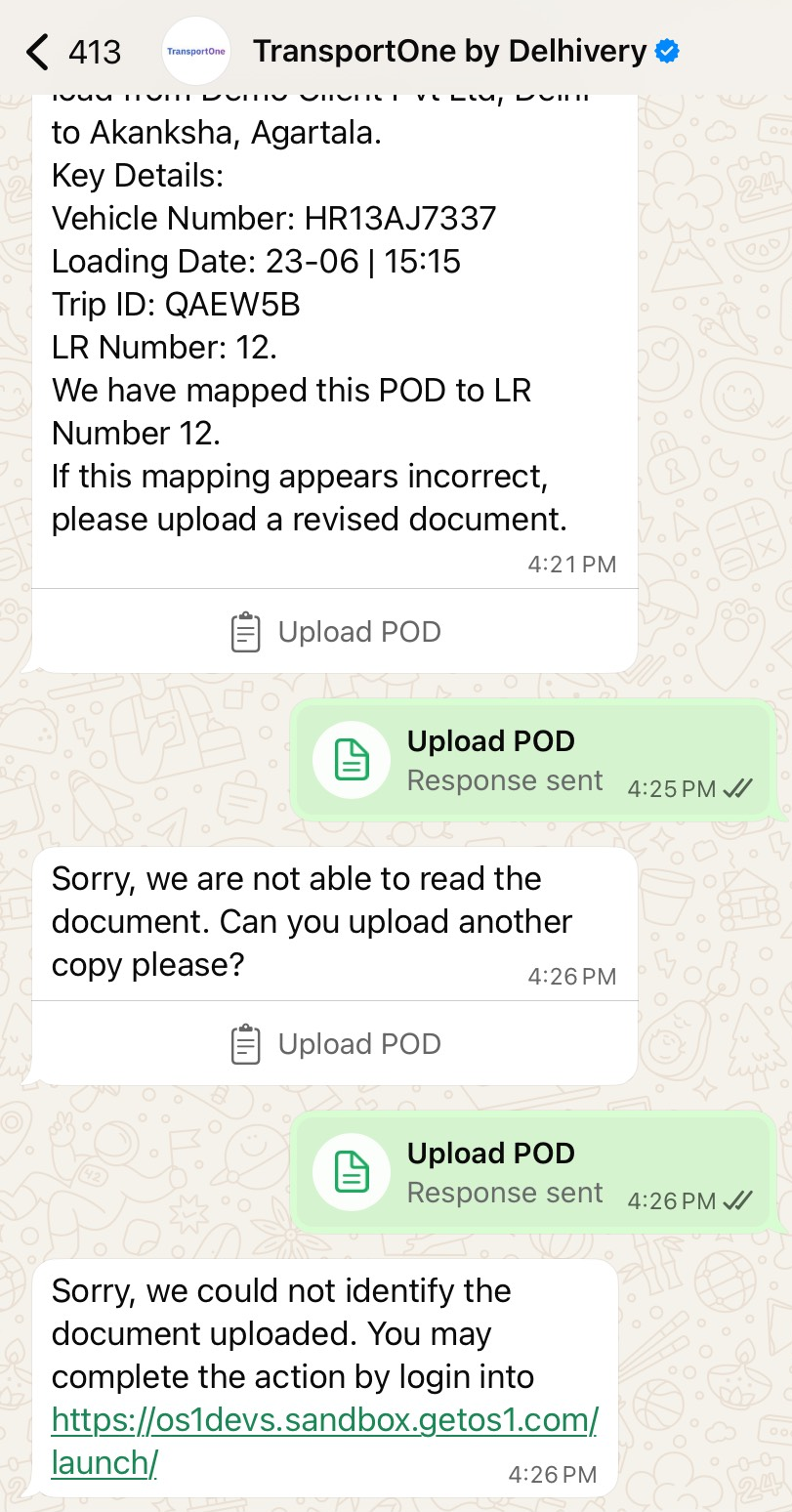
Note: We couldn't read your document. Please upload the POD through the TMS web portal.
Follow the on-screen instructions to complete the upload using the standard UI flow.